Jayadev Rana Get a custom script
Free Pine Script Indicators / Paste Check (EMA Cross Starter)
Free indicator · Pine Script v6

Paste Check (EMA Cross Starter)

The clean script from the beginner guide on adding any Pine Script to TradingView: paste it with Ctrl+A then Ctrl+V over a new indicator, press Add to chart, and it should compile with no red and no yellow. If it does not, the video walks through the 15 paste problems that break it.

IndicatorPine Script v6OverlayFree

Get the codeDownload .pine.txt

Snapshots

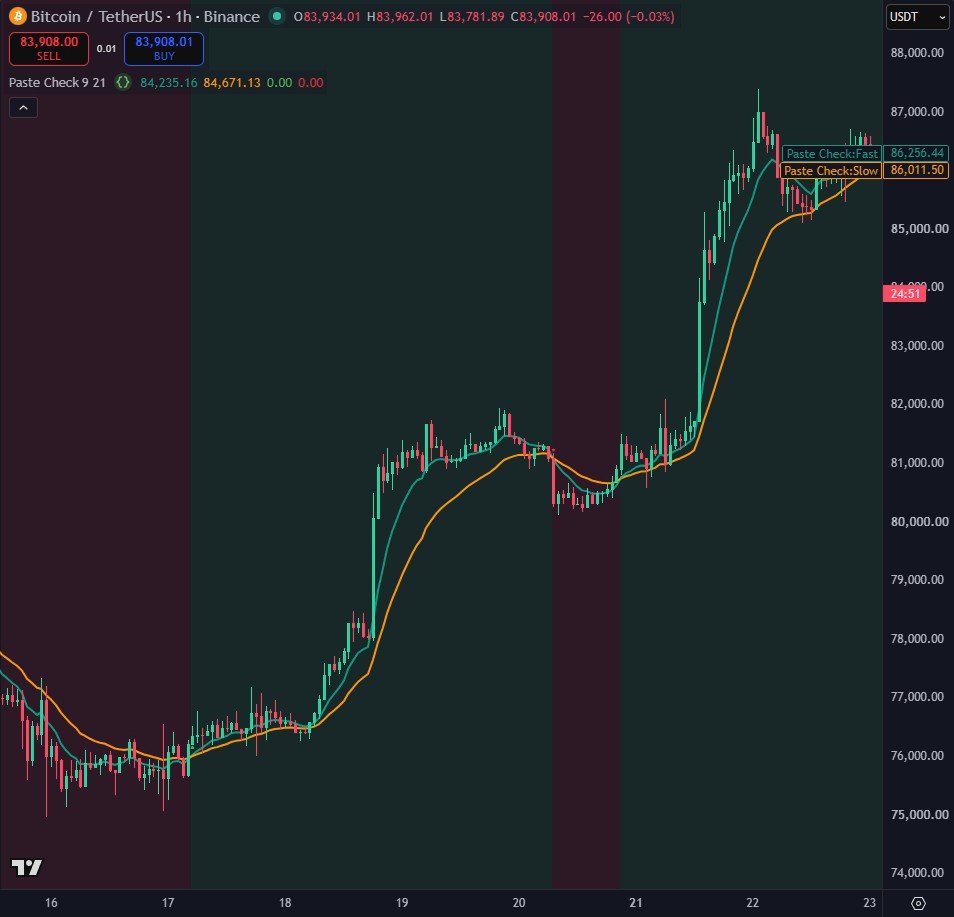
The script on Bitcoin 1h: a teal fast EMA and an orange slow EMA, a green or red background that follows the last cross, and a triangle at every cross.
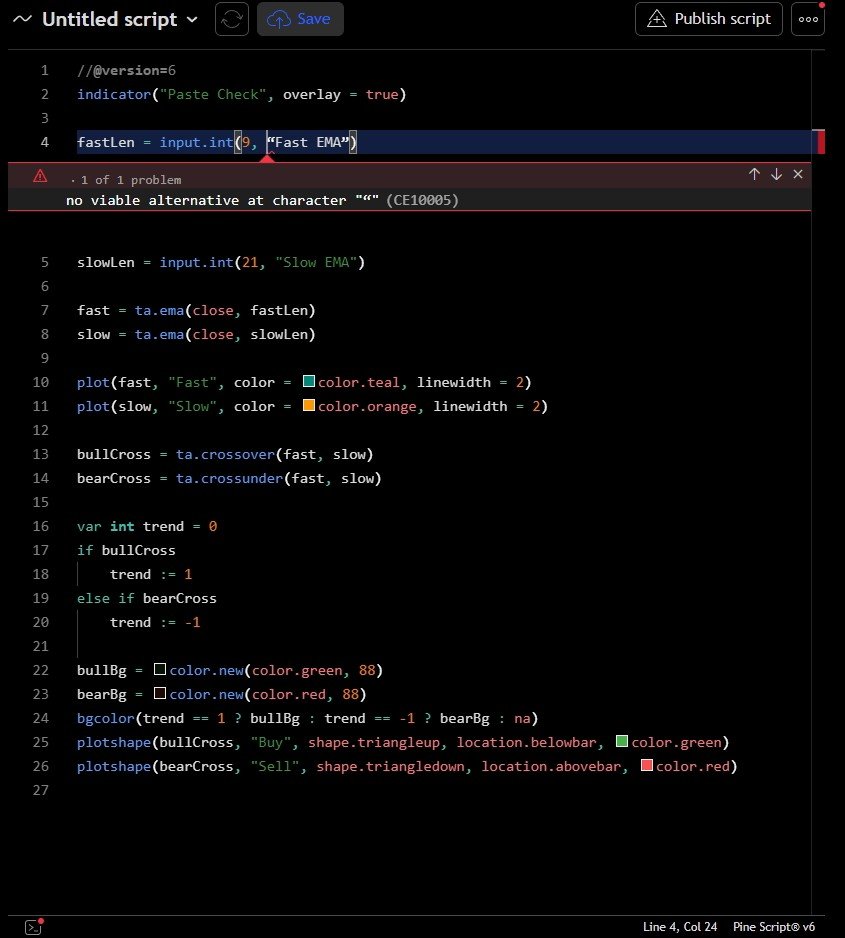
A red compilation error: curly quotes pasted from a word processor. The red box under line 4 says no viable alternative at character, followed by the curly quote.
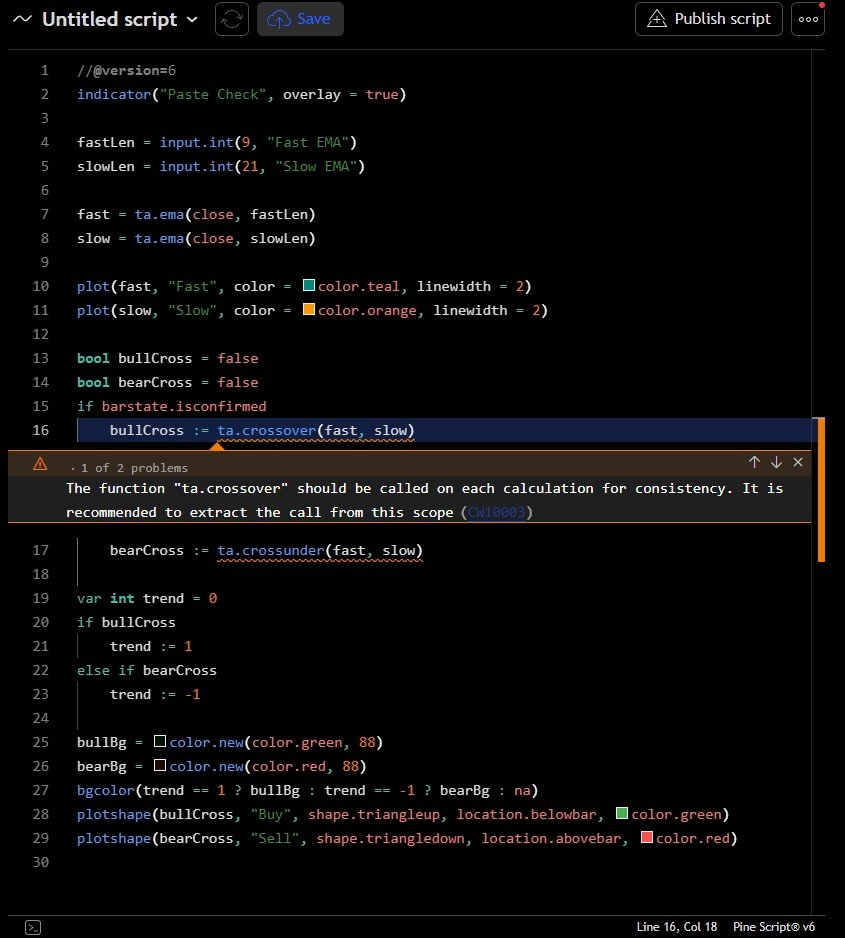
A yellow warning: the crossover moved inside an if block. The script still compiles and runs, and F8 shows the advice.
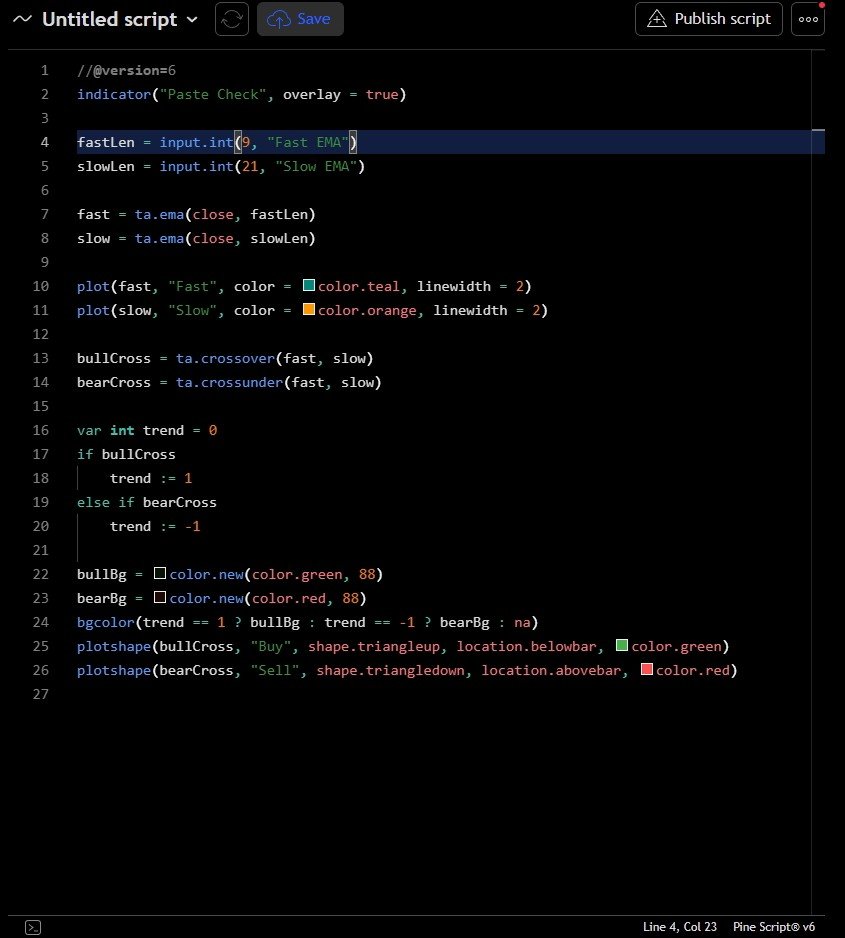
The full clean script in the Pine Editor, 26 lines, Pine Script version 6.

How it works

  1. Two EMAs (9 and 21 by default) are plotted, and ta.crossover / ta.crossunder mark where they cross.
  2. A var trend variable remembers the direction of the last cross, and bgcolor shades the chart green or red from it.
  3. It is deliberately small and uses an if block, strings and several function calls, so every common paste error shows up in it.

Settings

SettingDefaultWhat it does
Fast EMA9Fast EMA length
Slow EMA21Slow EMA length

Source code

In TradingView: open the Pine Editor, create a new indicator, paste the code, then click "Add to chart".

paste-check.pine.txtGitHubDownload
//@version=6
indicator("Paste Check", overlay = true)

fastLen = input.int(9, "Fast EMA")
slowLen = input.int(21, "Slow EMA")

fast = ta.ema(close, fastLen)
slow = ta.ema(close, slowLen)

plot(fast, "Fast", color = color.teal, linewidth = 2)
plot(slow, "Slow", color = color.orange, linewidth = 2)

bullCross = ta.crossover(fast, slow)
bearCross = ta.crossunder(fast, slow)

var int trend = 0
if bullCross
    trend := 1
else if bearCross
    trend := -1

bullBg = color.new(color.green, 88)
bearBg = color.new(color.red, 88)
bgcolor(trend == 1 ? bullBg : trend == -1 ? bearBg : na)
plotshape(bullCross, "Buy", shape.triangleup, location.belowbar, color.green)
plotshape(bearCross, "Sell", shape.triangledown, location.abovebar, color.red)

Watch it built

This script is written and explained step by step in the video lesson.

Need a custom indicator or strategy?

Non-repainting Pine Script v6, backtested with real costs, alert and webhook ready. Fixed quote within 24 hours.

Free and open source under the Mozilla Public License 2.0. Educational content only, not financial advice. Backtest results are historical and include the costs stated; past performance does not predict future results. © Jayadev Rana · Privacy · Terms